


In today’s business world companies need to do more with money. Many businesses are under a lot of pressure to achieve this. The old way of doing things with servers, expensive software and complicated systems often gets in the way of growing and trying things.
Cloud computing is changing the way businesses work by giving them solutions that can grow with them and are affordable. Businesses of size can now use cloud computing to make their work better. They can make their processes simpler make it easier for people to work together keep their information safe and make decisions. Cloud computing is really useful for businesses.
Cloud computing helps with things like making workflows automatic and making it possible for people to work. It has become an important tool, for planning business strategy. This guide will show how cloud computing can change the way your business operates. We will look at the tools and strategies that you can use. We will also give you real life examples and tips on how to get started with cloud computing.Cloud computing is a part of this and will help businesses do better.
What Is Cloud Computing?
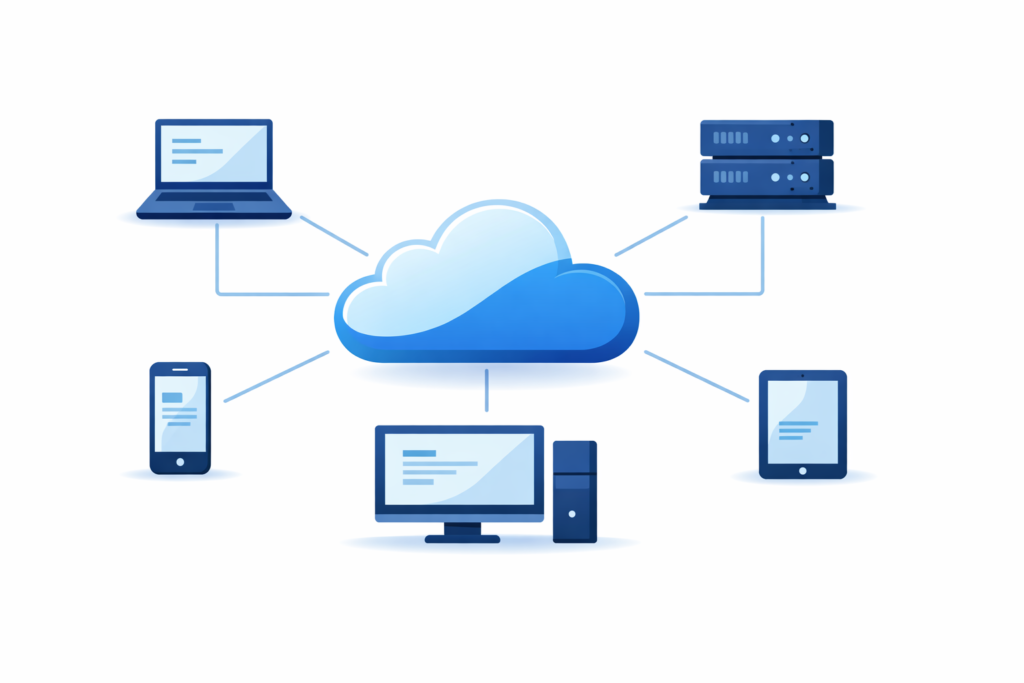
At its core, cloud computing is the delivery of computing services over the internet. Instead of managing physical servers, storage, and software on-site, businesses use cloud providers to access these resources as needed.
Cloud computing allows companies to:
- Access applications from anywhere, anytime
- Scale resources up or down based on demand
- Reduce upfront IT costs
- Improve collaboration and productivity
Types of Cloud Services:
| Service Type | What It Does | Best For |
| IaaS (Infrastructure as a Service) | Provides virtualized computing resources like servers and storage | Businesses needing flexible infrastructure |
| PaaS (Platform as a Service) | Offers a platform for building and deploying applications | Developers creating custom software |
| SaaS (Software as a Service) | Delivers ready-to-use software applications via the internet | Everyday business apps like email, CRM, project management |
Why Cloud Computing Is Important for Businesses:
Cloud computing is more than a handy tool. It affects areas of a business-like getting things done dealing with customers controlling costs and coming up with new ideas.
1. Fast and Flexible
One of the things about cloud computing is how fast it is. Businesses can start projects, apps and services in just a few minutes instead of waiting weeks or months.
Benefits:
- Faster setup of software and tools
- Quick response to changes in the market
- Helps with working from home or in the office
For example, a digital marketing agency can quickly set up analytics dashboards for each client campaign. This way they avoid setup times and expensive hardware. Cloud computing helps them work faster and better.
They can use cloud computing to speed up their work. Cloud computing is critical, for business operations. Businesses use cloud computing for things.
2. Scalability Without Limits
When you use the way of doing things it can be really hard to grow your business because it is very expensive and takes a long time to add more servers or update your software. The cloud is different it lets businesses get resources when they need them so they can keep up with demand.
The good things about the cloud are:
- You can handle a lot of people visiting your site all at once
- The cloud can grow with your business as it gets bigger
- You only have to pay for the resources you actually use which’s a big advantage of using the cloud and scalability without limits and this is what makes scalability without limits so great, for businesses that need it.
Traditional vs Cloud Scalability:
| Feature | Traditional IT | Cloud Computing |
| Capacity | Fixed, manual upgrades | Auto-scaling on demand |
| Cost | High upfront investment | Pay-as-you-go |
| Flexibility | Limited | Extremely flexible |
3. Cost Efficiency:
Using computing helps companies save money on big purchases and daily costs. They do not have to buy equipment take care of servers or have a lot of people working in the information technology department.
Key benefits:
- Cloud computing reduces the cost of hardware
- It also reduces the money spent on maintenance
- Companies like cloud computing because they know how much they have to pay every month
For example, a small company that just started used Amazon Web Services option and Google Workspace to manage everything they do for less than fifty dollars per month which is the cost of cloud computing, for the company. The company likes cloud computing because it saves them money on the cost of cloud computing.
4. Working Together Better
When people work in places the internet helps them work together at the same time. Employees can use the tools and files from anywhere which makes it easier for them to work as a team and make decisions faster.
Things that help people work together better:
- They can share documents. Keep track of changes
- They can use cloud-based tools to manage their projects
- They can use communication apps like Slack and Teams
For example: A marketing team that works from home can edit the presentation, in Google Slides at the same time and they can also chat with each other in Slack. This way they do not have to send a lot of emails forth and they can save a lot of time each week. The marketing team can work together better with cloud computing and cloud computing helps the marketing team to be more efficient.
5. Security and Compliance
When businesses move to the cloud security is a worry. Top cloud providers put a lot of money into security that works well for big companies.
Here are some key things they do:
- They make sure data is scrambled when its sent and when its stored
- They use codes that need more than one thing to get in
- They regularly fix security problems. Keep an eye on things
- They follow rules, like ISO, HIPAA and SOC 2 to make sure everything is secure
For example: a doctor’s office uses cloud storage that follows HIPAA rules so patient information stays safe without having to pay for their own servers.
6. Disaster Recovery and Business Continuity
When you use cloud services, they usually have backup and disaster recovery solutions. This means that your business can keep going even if something bad happens, like a hardware failure or a cyberattack.
Benefits:
- Automated data backup is a help
- You can recover quickly after something goes wrong
- Business owners can feel safe knowing they are protected
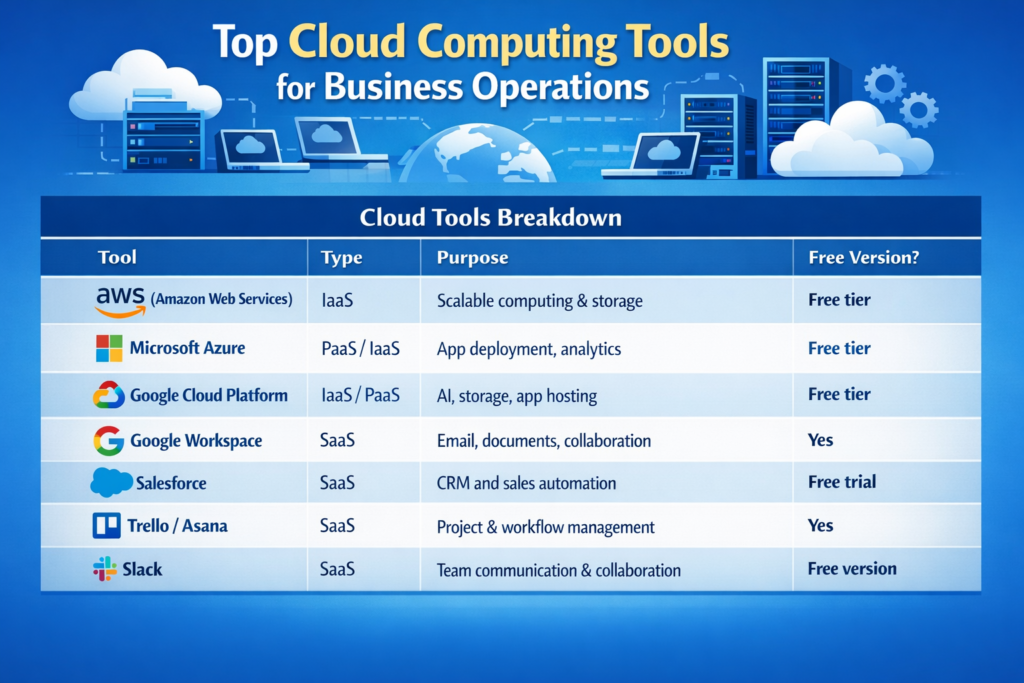
Top Cloud Computing Tools, for Business Operations
Cloud computing is not an idea. It is powered by tools that small and medium businesses can use to change how they work.
| Tool | Type | Purpose | Free Version? |
| AWS (Amazon Web Services) | IaaS | Scalable computing & storage | Free tier |
| Microsoft Azure | PaaS/IaaS | App deployment, analytics | Free tier |
| Google Cloud Platform | IaaS/PaaS | AI, storage, app hosting | Free tier |
| Google Workspace | SaaS | Email, docs, collaboration | Yes |
| Salesforce | SaaS | CRM and sales automation | Free trial |
| Trello / Asana | SaaS | Project and workflow management | Yes |
| Slack | SaaS | Team communication | Free version |
Step-by-Step Guide to Migrating Your Business to Cloud:
Step 1: Figure Out What You Need
- Look at the workloads and applications you have
- Decide which ones are the important to move to the cloud first
Step 2: Choose the Right Cloud Model for Your Needs
- Public Cloud is a choice because you share resources, with other people and it is cheaper.
- Private Cloud is a choice if you need to keep your information very safe because you get resources just for yourself.
- Hybrid Cloud is an option if you want to be able to do a little bit of everything because it is a mix of the other two cloud models.
Step 3: Choose Your Provider
You need to think about a things when you pick a provider.
These things are:
- How much it costs and what the pricing model is
- What features it has. What other things it can connect to
- How good the customer support is
Step 4: Plan the Migration:
- First you have to make a backup of all your data before you start moving things.
- Then you should move the systems that’re not super important first.
- You have to test the migration process carefully one step, at a time to make sure everything works okay.
Step 5: Train Your Team
- You need to teach your team and help them when they need it.
- Make sure everyone knows what to do and how to do it right.
Step 6: Monitor and Optimize
- You have to watch how things are going and make sure everything is working well.
- Make sure you are using your money and resources in the way.
Example: A retail company moved its POS system and inventory management to the cloud. Within 3 months the retail company improved the speed of its reporting by 50 percent and the retail company reduced downtime.
Cloud Computing Trends That Will Shape Businesses
- AI-Integrated Cloud Services: Automate data analysis and decision-making
- Serverless Architecture: Reduce costs by running code only when needed
- Edge Computing: Process data closer to the source for faster results
- Hybrid and Multi-Cloud Strategies: Flexible solutions combining multiple providers
Common Mistakes to Avoid:
| Mistake | Impact | Solution |
| Migrating everything at once | Overload and errors | Gradual migration, start small |
| Ignoring security & compliance | Data breaches | Follow cloud security best practices |
| Lack of training | Poor adoption | Provide team training and documentation |
| Over-provisioning resources | Extra costs | Monitor usage, scale dynamically |
Conclusion:
Cloud computing is really important now. It helps businesses change and get better. It does a lot of things like help people work together and get work done and it also makes things more secure and cost less. When businesses use the cloud, they can change quickly and come up with ideas.
If you have a business and you want to make things easier or if you have a big company and you want to make big changes using cloud services like AWS, Azure, Google Workspace, Salesforce and Trello can really change how your business works.
The cloud is the future of business. Companies that use it well will be better than others work smarter and keep growing for a time. Cloud computing is the key, to all of this and businesses that use cloud computing will see benefits.
FAQs
Q1: Is cloud computing secure for businesses?
- A1: Yes, cloud computing is secure. Cloud providers have security. They use encryption. They also use something called -factor authentication. They have certifications that show they follow rules.
Q2: Can small businesses afford cloud computing?
- A2: Many cloud tools are free or low-cost. You can pay for what you use. This is good for businesses on a tight budget.
Q3: How long does it take to move to the cloud?
- A3: It depends on the size of your business. Small businesses might take a week. Large businesses might take months
Q4: Do I need to know a lot about tech to use cloud tools?
- A4: Most cloud tools are easy to use. You do not need to know a lot, about tech. If you do that is okay. If not, you can get help from consultants.
Q5: How does cloud computing save me money?
- A5: Cloud computing saves you money. You do not have to buy a lot of equipment. You do not have to pay to fix things. You only use what you need. You can. Remove things as needed. This helps businesses.