


Artificial intelligence is moving beyond simple chatbots and rule-based automation. Businesses are now exploring AI agents that can understand objectives, analyze information, make decisions within defined limits, interact with software applications, and complete multi-step workflows.
This shift has created a growing interest in AI agent automation tools. Unlike traditional automation platforms, AI agent tools are designed to combine artificial intelligence with business workflows. Instead of following only predefined rules, AI agents can interpret context, select actions, use connected tools, and adapt to different situations.
For businesses, this creates significant opportunities. AI agents can support sales teams, automate customer service tasks, improve marketing operations, assist IT teams, process documents, and reduce repetitive manual work.
However, choosing the right AI agent automation platform is not as simple as selecting the tool with the most advanced AI model. A platform may generate impressive responses during a demonstration but struggle when it needs to access enterprise data, integrate with existing applications, follow security policies, manage errors, or operate at scale.
That is why businesses need to evaluate AI agent automation tools carefully. The right platform should help organizations build useful agents, connect them with real business workflows, control what they can access, monitor their actions, and measure their performance. This guide explains what AI agent automation tools are, how they work, and what businesses should look for before choosing a platform.

What Are AI Agent Automation Tools?
AI agent automation tools are platforms that help businesses build, deploy, manage, and monitor AI agents capable of performing tasks and interacting with digital systems.
Traditional automation usually follows a fixed set of instructions.
For example:
When a customer submits a form → send the information to the CRM → create a task for the sales team.
Every step is predefined.
AI agent automation introduces more flexibility.
An AI agent might receive an objective such as:
Analyze new leads, research the company, identify buying signals, update the CRM, and recommend the next best action.
The agent can use available data and connected tools to determine how to complete the objective.
Depending on its design, an AI agent may be able to:
- Understand natural-language instructions
- Analyze structured and unstructured data
- Retrieve information from business systems
- Select appropriate tools
- Execute multi-step workflows
- Generate content and responses
- Trigger automated actions
- Escalate complex tasks to humans
- Coordinate with other AI agents
- Improve through evaluation and feedback
In simple terms, traditional automation follows a predefined path, while AI agents can make decisions within defined boundaries. This does not mean AI agents should operate without control. In fact, as businesses give agents more autonomy, they also need stronger security, governance, monitoring, and approval mechanisms.
Why Businesses Are Adopting AI Agent Automation
Businesses have used automation for years to reduce repetitive work.
Traditional automation works well when processes are predictable.
For example:
- Sending confirmation emails
- Updating records
- Moving data between systems
- Creating support tickets
- Scheduling reports
However, many business processes require some level of judgment.
Employees often need to read information, understand context, compare options, search for data, and decide what to do next.
This is where AI agents can provide additional value.
Consider a customer support workflow.
A traditional automation system may route a ticket based on keywords.
An AI agent can potentially:
- Read the customer request.
- Understand the issue.
- Search the knowledge base.
- Check customer history.
- Access relevant account information.
- Determine whether the issue can be resolved automatically.
- Generate or send a response.
- Escalate complex cases.
- Update the support system.
The goal is not always to replace employees.
In many cases, AI agents are designed to handle repetitive or time-consuming work so employees can focus on more complex decisions and customer interactions.
How AI Agent Automation Tools Work
Although platforms vary, most AI agent automation tools include several important components.
| Component | Purpose |
|---|---|
| AI Model | Understands instructions and generates responses |
| Agent Logic | Defines the agent’s goals and behavior |
| Memory | Stores useful information and context |
| Data Layer | Provides access to business information |
| Tools and Integrations | Allows the agent to interact with applications |
| Workflow Engine | Coordinates multi-step tasks |
| Security Controls | Manages access and permissions |
| Governance Layer | Applies policies and approval rules |
| Observability | Tracks agent actions and performance |
| Evaluation System | Measures quality and reliability |
A typical AI agent workflow may look like this:
Business Goal → AI Agent → Data Retrieval → Analysis → Tool Selection → Action → Validation → Human Approval When Required → Monitoring
This is why businesses should not evaluate AI agent automation tools only by testing how well a chatbot answers questions.
The AI model is only one part of the system.
The real value depends on whether the agent can safely connect intelligence with business processes.
What Businesses Should Look for in AI Agent Automation Tools
1. Clear Business Use Case Fit
The first question should not be:
Which AI agent tool is the most advanced?
The better question is:
Which business problem are we trying to solve?
Many organizations make the mistake of starting with technology instead of business needs.
They purchase a powerful platform and then search for ways to use it.
A better approach is to identify valuable workflows first.
Good AI automation opportunities often involve:
- Repetitive tasks
- Multiple software systems
- Large amounts of data
- Manual handoffs
- Delays in decision-making
- Clear business outcomes
For example, a company might want to reduce the time required to qualify inbound leads.
An AI agent could collect lead information, research the company, identify relevant signals, update the CRM, and recommend the next action.
This is a more measurable objective than simply saying:
We want to use AI agents in sales.
Businesses should clearly define what success looks like before selecting a platform.
Important questions include:
- What problem will the agent solve?
- Which employees currently perform the task?
- How much time does the workflow require?
- Which systems are involved?
- What actions can be automated?
- Which decisions require human approval?
- How will success be measured?
A focused business use case makes it much easier to evaluate whether an AI agent automation tool is actually useful.
2. Integration Capabilities
AI agents need access to the systems where business work actually happens.
Most organizations use multiple platforms for different operations.
These may include:
- CRM systems
- Marketing automation platforms
- ERP software
- Customer support platforms
- Databases
- Cloud storage
- Internal documentation
- Analytics tools
- Communication applications
An AI agent that cannot securely connect to these systems may have limited value.
That is why integration capabilities should be a major consideration.
Businesses should look for platforms that provide:
- Prebuilt integrations
- APIs
- Webhooks
- Custom connectors
- Database connections
- Real-time data access
- Event-driven automation
The depth of integration also matters.
Some integrations only allow an AI agent to read information.
Others allow the agent to:
- Create records
- Update records
- Search databases
- Trigger workflows
- Send notifications
- Request approvals
Businesses should understand exactly what each integration allows the agent to do.
Useful questions include:
- Can the platform connect to our current technology stack?
- Does it support custom APIs?
- Can it connect to legacy systems?
- How are authentication credentials managed?
- Are agent actions logged?
- Can permissions be restricted?
A powerful AI agent without useful integrations may remain little more than a sophisticated chatbot.
3. Security and Data Protection
Security should be one of the first priorities when evaluating AI agent automation tools.
AI agents may have access to sensitive information such as:
- Customer records
- Financial data
- Internal documents
- Sales information
- Employee information
- Business intelligence
- Source code
Businesses should not only ask whether the AI model is secure.
They should also ask:
What can the agent access, and what can it do with that access?
Important security capabilities include:
- Role-based access control
- Single sign-on
- Multi-factor authentication
- Encryption
- Data isolation
- Secure API authentication
- Secrets management
- Data residency options
- Identity management
The principle of least privilege is particularly important.
An AI agent should only have access to the information and systems required for its specific task.
For example, a marketing research agent does not necessarily need access to financial systems.
A customer support agent may need customer information but should not automatically be able to change sensitive account settings.
Limiting permissions can significantly reduce risk.
4. Governance and Policy Controls
As more teams begin building AI agents, businesses can face a problem known as agent sprawl.
Different departments may create agents independently.
Without centralized management, organizations may lose visibility into:
- Which agents exist
- Who owns them
- What data they access
- What actions they perform
- Which policies apply
This creates potential security and compliance problems.
A strong AI agent automation platform should provide governance features that help businesses maintain control.
Important capabilities include:
| Governance Feature | Why It Matters |
|---|---|
| Agent Inventory | Shows all deployed agents |
| Ownership Controls | Identifies responsible teams |
| Policy Management | Defines allowed behavior |
| Approval Rules | Controls sensitive actions |
| Audit Logs | Records agent activity |
| Version Management | Tracks changes |
| Lifecycle Management | Manages deployment and retirement |
| Compliance Reporting | Supports regulatory requirements |
Governance should not prevent innovation.
Instead, it should help organizations scale AI adoption responsibly.
For example, a company may allow teams to create low-risk internal agents while requiring additional approval for agents that access sensitive customer data.
5. Human-in-the-Loop Controls
Not every business decision should be fully automated.
Some AI agent tasks are relatively low risk.
Examples include:
- Summarizing documents
- Categorizing information
- Creating drafts
- Researching public information
Other tasks may carry higher consequences.
Examples include:
- Approving financial transactions
- Changing customer account information
- Modifying security permissions
- Sending sensitive communications
Businesses need the ability to decide when human approval is required.
This approach is known as human-in-the-loop automation.
For example, an AI agent may be allowed to automatically resolve simple customer requests.
However, if a customer requests a large refund, the agent can pause the workflow and ask a human employee for approval.
Effective AI agent automation tools should support:
- Approval workflows
- Risk-based automation
- Escalation rules
- Approval notifications
- Multiple approvers
- Time-based escalation
- Emergency shutdown controls
Human oversight should not be considered a weakness.
In many enterprise environments, it is essential for building trust in AI automation.
6. Observability and Monitoring
Businesses need visibility into what AI agents are doing.
Traditional software monitoring focuses on metrics such as:
- System availability
- Response time
- Errors
- Resource usage
AI agent monitoring requires additional information.
Organizations may need to understand:
- What information did the agent use?
- Which tools did it access?
- What actions did it take?
- Why did the workflow fail?
- How long did the task take?
- How much did the task cost?
- Did the agent follow company policies?
This is known as AI agent observability.
Important features include:
- Agent activity logs
- Tool-call tracing
- Error tracking
- Performance dashboards
- Cost monitoring
- Audit trails
- Alerts
- Historical analysis
Observability becomes especially important when businesses use multiple agents.
For example:
Research Agent → Analysis Agent → Action Agent → Reporting Agent
If the final result is incorrect, the organization needs to identify which agent or workflow step caused the problem.
Without proper monitoring, troubleshooting AI systems can become difficult.
7. Reliability and Error Handling
AI agents operate in complex environments.
External systems can fail.
APIs may become unavailable.
Data may be incomplete.
User instructions may be unclear.
The AI model may select an incorrect action.
For this reason, businesses should look for strong error-handling capabilities.
Important features include:
- Retry mechanisms
- Timeout controls
- Fallback workflows
- Error alerts
- Human escalation
- Rollback capabilities
- Testing environments
For example, if an agent attempts to update a CRM record and the API fails, the system may retry the request.
If the problem continues, the workflow can create a task for a human employee.
A good AI agent platform should be designed with the assumption that failures will happen.
The goal is to detect failures quickly and handle them safely.
8. No-Code and Low-Code Capabilities
Not every AI agent needs to be created by software developers.
Business teams often have the best understanding of their daily workflows.
A marketing manager understands campaign processes.
A sales operations manager understands lead qualification.
A support manager understands customer escalation.
Low-code and no-code tools can allow these employees to participate in automation development.
Useful capabilities include:
- Drag-and-drop workflow builders
- Visual automation tools
- Prebuilt templates
- Natural-language configuration
- Reusable components
- Prompt management
However, businesses should balance ease of use with governance.
If every employee can create powerful AI agents without oversight, security and compliance risks may increase.
The ideal platform should allow business users to innovate while giving IT and security teams appropriate control.
9. Developer Flexibility
No-code tools are useful, but some enterprise workflows require custom development.
Businesses may need:
- Custom integrations
- Proprietary business logic
- Specialized data processing
- Advanced orchestration
- Unique security requirements
A flexible AI agent platform should provide options for developers.
These may include:
- APIs
- SDKs
- Custom tools
- Code-based development
- Version control
- Testing environments
The right level of technical flexibility depends on the organization.
Small businesses may prioritize simplicity.
Large enterprises may require extensive customization.
The best platforms often support both low-code users and professional developers.
10. Memory and Business Context
AI agents need context to perform useful work.
Imagine a sales agent receives the instruction:
Follow up with the prospect.
Without additional information, the agent may not know:
- Who the prospect is
- Previous interactions
- Current sales stage
- Products of interest
- Open opportunities
Business context allows the agent to make more relevant decisions.
Useful sources of context may include:
- CRM data
- Conversation history
- Documents
- Knowledge bases
- Previous workflow actions
- Customer records
However, businesses should carefully manage agent memory.
They should understand:
- What information is stored
- How long it is retained
- Who can access it
- Whether sensitive data is included
- How outdated information is removed
Better context can significantly improve AI agent performance.
A powerful model with poor business context may still produce poor results.
11. Multi-Agent Orchestration
Some complex workflows may require multiple specialized AI agents.
For example, a lead management workflow could involve:
Research Agent
Collects company information.
Qualification Agent
Analyzes the prospect and identifies buying potential.
Sales Agent
Recommends the next best action.
CRM Agent
Updates customer information.
Reporting Agent
Creates a performance summary.
This approach is known as multi-agent orchestration.
However, businesses should not assume that adding more agents automatically improves results.
Every additional agent increases complexity.
Organizations need to manage:
- Agent communication
- Shared context
- Workflow dependencies
- Security permissions
- Error handling
- Monitoring
Businesses should first determine whether a workflow truly requires multiple agents.
In some cases, one well-designed agent may be more effective and easier to manage.
12. Scalability
A platform that works well with one AI agent may not perform the same way when an organization deploys hundreds of agents.
Businesses should evaluate future scalability.
Important questions include:
- How many agents can the platform manage?
- Can it handle high workflow volumes?
- What happens during traffic spikes?
- Are there usage limits?
- Can performance be monitored across departments?
Scalability also applies to organizational management.
As AI adoption grows, businesses need systems for:
- Agent ownership
- Cost allocation
- Policy management
- Performance reporting
- Lifecycle management
The right platform should support growth without creating unnecessary operational complexity.
13. Cost Control
AI agent automation can create variable costs.
Businesses may pay for:
- AI model usage
- API requests
- Data processing
- Platform subscriptions
- Cloud infrastructure
- Integrations
- Engineering
- Maintenance
An inefficient agent may make unnecessary tool calls or repeat tasks.
This can increase costs quickly.
Businesses should therefore look for strong cost visibility.
Important features include:
- Usage dashboards
- Budget limits
- Cost alerts
- Agent-level cost tracking
- Department-level reporting
- Model usage controls
The platform with the lowest subscription price may not always have the lowest total cost.
A cheaper tool may require more engineering and maintenance.
Businesses should evaluate the total cost of ownership.
Total Cost = Platform Cost + AI Usage + Integration Costs + Engineering + Maintenance + Governance
This provides a more realistic understanding of the investment.
14. Model Flexibility
Different AI models may perform better for different business tasks.
One model may be stronger for complex reasoning.
Another may provide faster responses.
Another may offer lower operational costs.
Businesses should consider whether an AI agent automation platform supports model flexibility.
Important capabilities may include:
- Multiple model support
- Model routing
- Performance comparison
- Cost controls
- Private deployment options
However, businesses should avoid unnecessary complexity.
The goal is not to use as many models as possible.
The goal is to select the right technology for the business outcome.
15. Testing and Evaluation
AI agents should be tested before they are deployed into important business workflows.
Traditional software testing focuses on whether a feature works correctly.
AI agent testing may also evaluate:
- Response quality
- Tool selection
- Workflow completion
- Policy compliance
- Accuracy
- Reliability
- Cost
Businesses should ask:
How do we know this agent is performing correctly?
A strong platform should support structured evaluation.
Useful capabilities include:
- Test datasets
- Simulated workflows
- Regression testing
- Automated evaluation
- Human review
- Failure analysis
For example, a business can test a customer support agent against historical support cases.
The organization can then measure:
- Resolution accuracy
- Escalation rates
- Response quality
- Policy compliance
- Customer satisfaction
Testing should continue after deployment.
Business data, customer behavior, and workflows can change over time.
16. Compliance Requirements
Compliance is particularly important for businesses operating in regulated industries.
This may include:
- Financial services
- Healthcare
- Government
- Insurance
- Legal services
Compliance requirements vary depending on the industry and location.
Businesses should understand:
- Where data is stored
- How data is processed
- How long information is retained
- Who accessed information
- What actions were performed
Auditability is especially important.
If a business cannot determine what an AI agent did, investigating incidents becomes much more difficult.
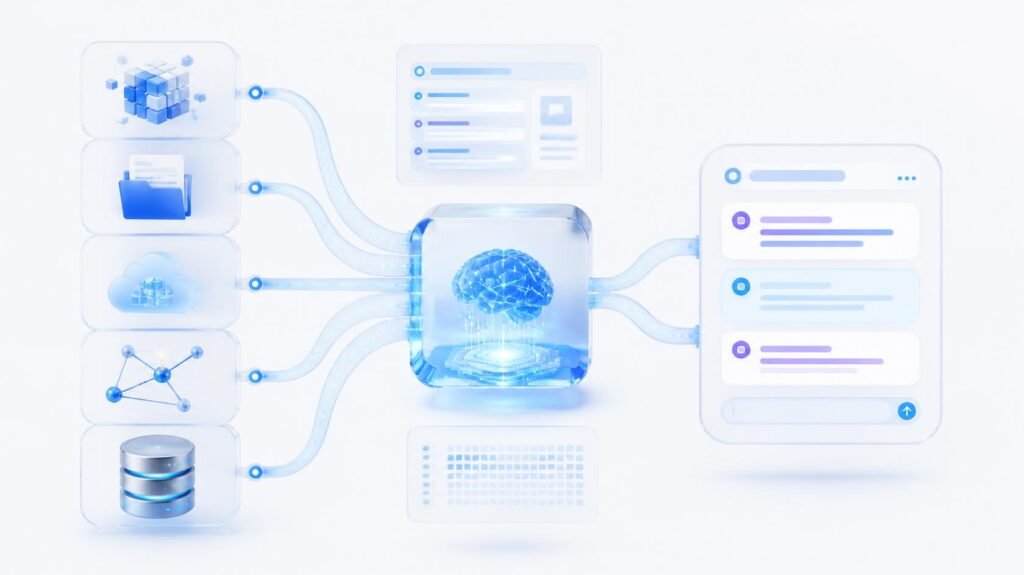
AI Agent Automation Tool Evaluation Framework
Businesses can use a weighted scoring model when comparing platforms.
| Evaluation Criteria | Suggested Weight |
|---|---|
| Business Use Case Fit | 15% |
| Integration Capabilities | 15% |
| Security | 15% |
| Governance | 10% |
| Observability | 10% |
| Reliability | 10% |
| Scalability | 10% |
| Ease of Use | 5% |
| Cost | 5% |
| Model Flexibility | 5% |
Each platform can be scored from 1 to 5.
The final score should be used as guidance rather than the only decision-making factor.
A company focused on rapid internal automation may prioritize ease of use.
A financial organization may place greater importance on security, governance, and compliance.
The best platform is the one that fits the organization’s specific requirements.
Common Mistakes Businesses Make When Choosing AI Agent Tools
Choosing a Tool Based Only on a Demo
AI demonstrations can look impressive.
However, businesses should test platforms using realistic workflows and real business requirements.
A demo may not reveal:
- Integration limitations
- Security challenges
- Scaling costs
- Performance problems
- Maintenance requirements
Giving Agents Too Much Access
Broad permissions can create unnecessary risk.
Businesses should give agents access only to the systems and information required for their specific tasks.
Automating a Broken Process
AI does not automatically fix inefficient workflows.
Businesses should first understand the existing process and identify the actual problem.
Ignoring Human Oversight
Not every decision should be automated.
Businesses should define when an AI agent can act independently and when human approval is required.
Focusing Only on the AI Model
The model is important, but successful AI automation also depends on:
- Data quality
- Integrations
- Governance
- Security
- Workflow design
- Monitoring
Ignoring Long-Term Maintenance
AI agents require continuous management.
Businesses need to monitor performance, costs, security, and workflow reliability.
An AI agent should not simply be deployed and forgotten.
How Businesses Should Implement AI Agent Automation
Step 1: Identify a High-Value Workflow
Start with one specific business problem.
Avoid trying to automate an entire department immediately.
Good starting points often involve repetitive work and measurable outcomes.
Step 2: Define Success Metrics
Businesses should establish clear performance metrics.
Examples include:
- Processing time
- Cost per task
- Resolution rate
- Error rate
- Employee productivity
- Customer satisfaction
Step 3: Define the Level of Autonomy
Determine what the AI agent can:
- Recommend
- Draft
- Execute automatically
- Escalate to a human
Step 4: Connect Relevant Systems
Provide access only to the information and tools required for the workflow.
Avoid unnecessary permissions.
Step 5: Test the Workflow
Test normal situations and potential failure scenarios.
This should include incorrect data, unavailable systems, unclear instructions, and unexpected requests.
Step 6: Launch With Monitoring
Monitor the agent from the beginning.
Track:
- Actions
- Errors
- Costs
- Performance
- Business outcomes
Step 7: Improve and Expand
Once the initial workflow is reliable, expand to additional use cases.
This gradual approach allows businesses to build experience and reduce unnecessary risk.
The Future of AI Agent Automation
AI agent automation is likely to become more deeply integrated into everyday business operations.
Instead of using separate AI tools for individual tasks, organizations may increasingly develop connected agent systems that support multiple departments.
These systems may work across:
- Sales
- Marketing
- Customer service
- Finance
- IT
- Operations
- Knowledge management
However, the future will not simply be about creating more autonomous agents.
The businesses that benefit most will likely focus on building systems that are:
- Useful
- Secure
- Observable
- Governed
- Reliable
- Measurable
AI agent automation will increasingly move from experimentation toward production environments.
As adoption grows, businesses will need stronger frameworks for security, lifecycle management, monitoring, and cost control.
The goal should not be maximum autonomy.
The goal should be useful autonomy.
An AI agent should have enough independence to improve a business process while remaining within clear operational and security boundaries.
Conclusion
AI agent automation tools have the potential to transform how businesses manage digital work.
Instead of automating only fixed sequences of tasks, organizations can create AI-powered systems that understand goals, analyze context, access information, interact with applications, and complete multi-step workflows.
However, intelligence alone is not enough.
The best AI agent automation platform is not necessarily the one with the most advanced AI model or the most impressive demonstration.
Businesses need to evaluate the complete system.
This includes:
- Business use case fit
- Integration capabilities
- Security
- Governance
- Human oversight
- Observability
- Reliability
- Scalability
- Cost control
- Testing
The most successful AI agent initiatives will begin with focused business problems.
Organizations should identify valuable workflows, define measurable outcomes, control risk, monitor performance, and improve continuously.
Businesses should avoid treating AI agents as completely independent systems that can operate without oversight.
The most effective approach is to combine AI capabilities with clear rules, secure access, human judgment, and continuous monitoring.
Ultimately, the future of AI agent automation will not be defined by how autonomous an agent appears.
It will be defined by how reliably, securely, and effectively that agent helps a business achieve real results.
Frequently Asked Questions
What are AI agent automation tools?
AI agent automation tools are platforms that allow businesses to build and manage AI agents capable of understanding tasks, accessing information, using tools, and completing workflows.
How are AI agents different from traditional automation?
Traditional automation follows predefined rules. AI agents can use context and reasoning to select appropriate actions within defined boundaries.
What should businesses look for in an AI agent automation platform?
Businesses should evaluate business use case fit, integrations, security, governance, observability, reliability, scalability, cost, and ease of use.
Are AI agents safe for business use?
AI agents can be used safely when businesses implement appropriate controls such as limited permissions, security policies, monitoring, audit logs, and human approval for sensitive actions.
Do businesses need coding skills to use AI agents?
Not always. Many AI agent platforms offer no-code and low-code development capabilities. However, complex enterprise implementations may still require technical expertise.
What is human-in-the-loop automation?
Human-in-the-loop automation is an approach where AI agents perform tasks while humans review, approve, or intervene in important decisions.
How can businesses measure AI agent performance?
Businesses can measure performance using metrics such as task completion, accuracy, response quality, processing time, cost, error rates, and business outcomes.
Can multiple AI agents work together?
Yes. Multiple AI agents can work together in a coordinated workflow, with each agent handling a specialized task.
What is the biggest challenge when implementing AI agents?
One of the biggest challenges is connecting AI capabilities to real business workflows while maintaining security, governance, and visibility.